Workshop System setup guide

A simple visual guide to help users register a Workshop System account and retrieve the important company information needed for setup.

Registration guide Account activation Company information reference

How to Register a Workshop System Account

Registering and logging in to your Workshop System account.
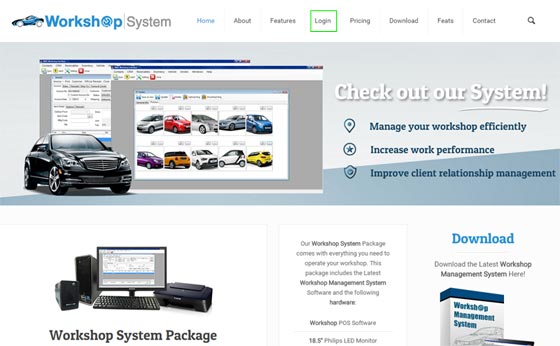
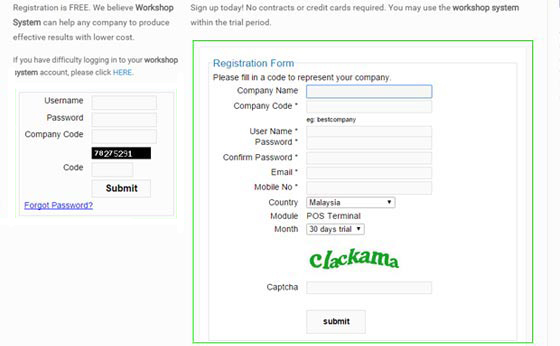
Workshop System registration guide step 1
Step 1: Go to the Workshop System login or registration page.
Workshop System registration guide step 2
Step 2: Fill in your registration details and submit the form.
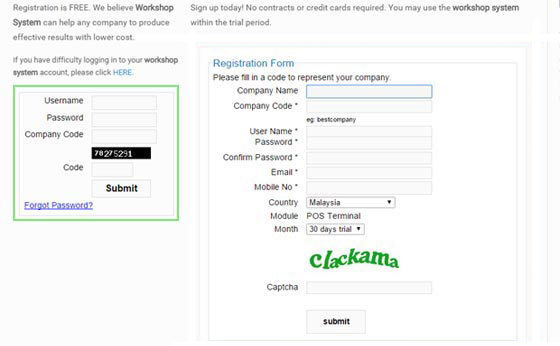
Workshop System registration guide step 3
Step 3: Check your email, activate your account and log in.
•••

Retrieving Information

You will need the following information to set up your Workshop System.

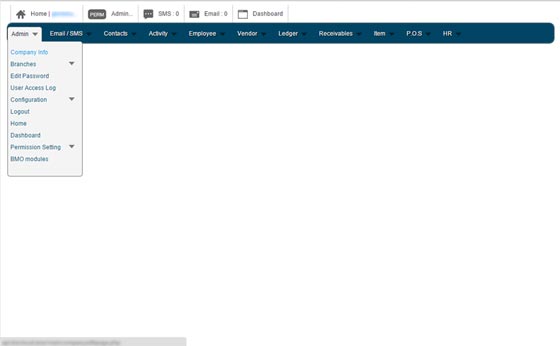
Workshop System login success main page screenshot
Step 4: After login, you will be redirected to the main page.
Workshop System admin company info screenshot
Step 5: Go to Admin and click on Company Info.
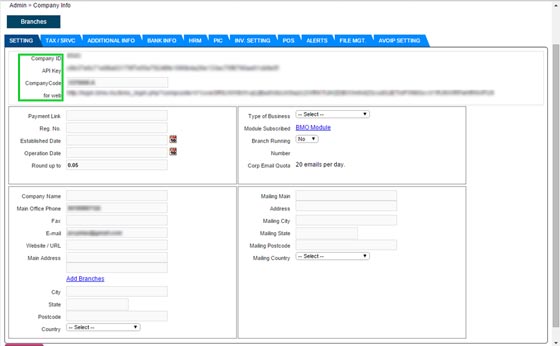
Workshop System company ID API key and company code screenshot
Step 6: View your Company ID, API Key and Company Code.
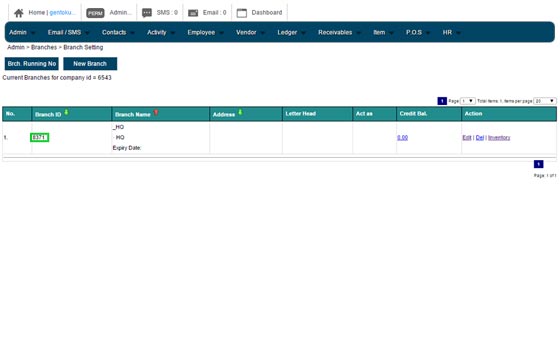
Workshop System branch ID screenshot
Step 7: Click on the Branches button to get your Branch ID.